Tuesday, 28 August 2012

[FONT] Galaxy S3 rosemary font!

Hey buds
This is Rosemary font from Galaxy S3.. Its my favourite font so I extracted it fom my brother's S3

Just download the atachment below.. its a zip file..
extract it ( u'll get 3 files in it..)
copy those three files to ur "system/ fonts" folder n change permissions as "rw--r--r" for all three files after pasting..
reboot ur phone.. Enjoy
Screenshots


Set permissions as this:

Attached Files
File Type: zip Rosemary-font.zip - [Click for QR Code] (1.23 MB, 155 views)

new playstore..v3.8.17 update


V3.8.17 update:
Jelly Bean Edition

Mod version features:
patched to skip self-update and
remove device restrictions

Installation note:
Rename file to “Vending.apk” and
copy to /system/app/Vending.apk.
Make sure to uninstall any updates of previous versions first. Root
Required. If you are running ICS
4.0.4, “Vending.apk” might be
substituted for “Phonesky.apk”.

Download Link:
directmirror.com/files/OIJJQ87C

Sunday, 27 May 2012

YouTube app with download option

Like stock YouTube app but need to switch to another app as it doesn't have download option.
Here is the solution :
Try this edited YouTube app with download option. You can access it via 'more' option on right upward option on screen.

http://www.4shared.com/android/fYHtY...utube_216.html

It downloads the video with right resolution.

NOTE :- I did not edit the app, just sharing.

AND after starting download you can't stop it.

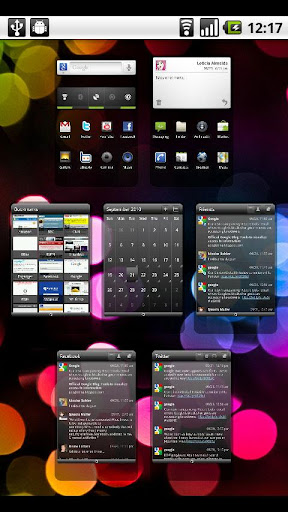
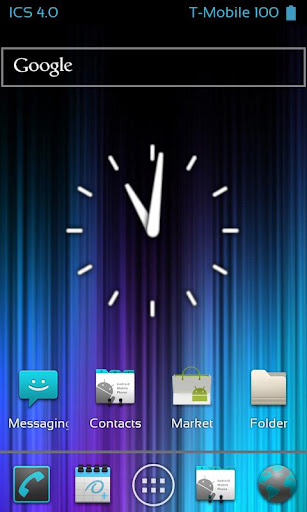
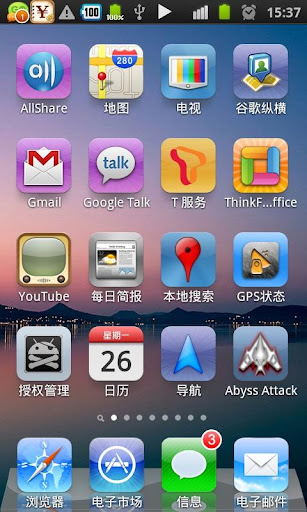
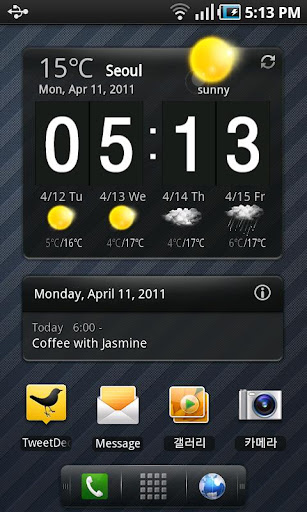
LAUNCHERS AVAILABLE FOR OUR SAMSUNG GALAXY MINI

Saturday, 19 May 2012

ROMS FOR GALAXY MINI/POP


- [ROM][Kernel] MORe version 1 (Update session 4)

- emanoN [ROM][Kernel] **Version 6**

- [DEV][ROM & KERNEL] GingerMod 2.1a

- ••• Creeds' Revolution v3.1.3 ••• [DEV][ROM][PORT]

- [DEV] [Samsung GT-S5570] [ROM & Kernel Develompent] [Andro-ID]

- [ROM][PORT]MINIDroid v3.5

- [ROM][PORT] Dark Fantasy 1.0

- [ROM] ProMini v1

- [Rom] Fuzonoid

- [ROM] [GT-S5570] FlatzkiROM

- [ROM][KERNEL]Andro-id v3.2 Mod LiL'G Rc1

- [DEV][ROM & Kernel] Chocobread v2.2.1

- [ROM][Samsung gt-s5570]MiniMod X FINAL

- [ROM][DEV]Chakra Rom

- [ROM] [Samsung GT-S5570] GAFATAR ROM

- [ROM] Stock Firmwares - bootloader removed - 100% SAFE TO FLASH


CM9 (ICS) ROMs

- [DEV] CyanogenMod 9.0.0-RC0-GT-S5570-GalaxyICS-KANG-beta7

- [DEV/ROM][ICS 4.0.3][AOKP] icsogen 0.1

- [DEV][ROM]CYANOGENMOD 9.0.0 BETA 3 BASE 4.0.3


CM7 ROMs

- [DEV][ROM][UNOFFICIAL] Pure CyanogenMod 7.2.0-RC1

- [ROM] ***Cyanogenmod 7.2 Official®***

- [ROM] Cyanogenmod 7.2 ICS Light Style

- [ROM/DEV] Unofficial CyanogenMod 7.2.0-RC1 "GalaxyMini"

- [DEV] [Samsung GT-S5570] [ROM & Kernel] Unofficial CM7.1.0 (Android 2.3.7)

- [ROM/DEV] Unofficial CyanogenMod 7.2.0-RC0 "GalaxyMini" Port

- [Rom]CyanogenMod 7 MusicEdition_v3.0

- ##[kernel][ROM][CWM]DreamW-CM7 Based [OC-760] V6

- [ROM][PORT] LeWaOS

- [ROM][Port of BeautySense] Minisense v1

- [ROM] iDroid v2

- [PORT][ROM]joyos 1.1.8

- [ROM][Teamcooper] ==> Xperia Gamerz Edition v2 <==

- [ROM][v2]::OJ_Mod_v2::

- [DEV][ROM & KERNEL][CM7.2-BASED] CyanMobile initial A (2.3.7) Release

- [ROM][PORT][2.3.7] LiGux

- [ROM] Miui Like Cm7

- [ROM][MIX][CM7]Cyanogen mod 7 MIX


MIUI ROMs

- [ROM][PORT] MIUI GB [BETA1e]

- [ROM][PORT] MIUI GINGERBREAD | Rc1 |

- [ROM] MIUI v4 for Galaxy Mini

- [ROM][PORT] MIUIv4 | beta2

- [ROM][PORT]MIUI V4 base CM9 BETA 4 MACLAW


[RECOVERYs]

- [DEV][UPDATE]ClockWorkMod Touch Recovery Lilg Version for Galaxy Mini (SQUADZONE)

- CWM v5.0.2.8 (yagya)

- [Experimental] Stock Recovery For Gingerbread 2.3.6

- [DEV][PORT] RZ recovery 2.1.4


[KERNELs]

- [Kernel] Overclock for Stock only

- [Kernel] OC kernel for Andro-id with full feature


[SCRIPTs]

- [SCRIPTS][TWEAKS][CWM]SlaidyBoost-V2.3

- [CWM][SCRIPTS][TWEAKS] Adrenaline™ Engine | 3.1 |

- [SCRIPT] UNGAZE


[MODs]

- [HACK] Increase Internal Memory Size to Whatever You Want!

- [MOD][APPS2SD][CWM] GingerMod Apps2SD 1.1c for All ROMs

- PDroid Patch v1.27 For Custom Roms - Enjoy Better Privacy Protection


[TUTORIALs]

- [GUIDE]How to make a custom rom

- [TUT]How to Port Samsung keyboard from stock Rom to Custom Roms

- How to add soft button to your rom

- How to port roms!

- Flash baseband and ONLY baseband

- Unroot Any Gingerbread Firmware For Galaxy Mini/Pop GT-S5570

Saturday, 5 May 2012

New rom for galaxy y -WeUi v1.0

WeUi v1.0


I have made this ROM for myself, you are free to use it. If you have any complain / Request / Query then post your message either in this thread or at page in Decent way and Language...
Backup your important Data first before using this ROM.
guys please.press thakz button for killer3d cause in this rom i have used one of his theme

INSTALATION
--Boot into Recovery using 3 button combo
--wipe data/factory reset
--wipe cache partition
--do a dalvik cache
--apply update from sdcard
--Install WeUi v1.0 from SDCARD
--Reboot
Features
--swype to remove notification
--new status bar like MIUI rom's
--QQlaucher as default
--new file browser
--new taskmanager ( creadits goes to killer3d )
--new messager
--new dailer
--new contacts
--playstore
--new deskclock
--MIUI alaram,natification & UI sounds
--new lock screen
--new theme
--MIUI music player and more stuffs from MIUI rom
-----------------------------------------and much more--------------------
ROM UPDATES
* Signal icon fixed
* deskclock fixed
* new semi-transperant UI
* new bootscreen ( thakzz to evanlocked )
* more stable
* 14 toggles

-----------------------much more-------------------------
Screen shot for v1.2

Download link for v1.2 : http://www.mediafire.com/?7r3ipdhj3qrxi0m
download link for v1.0 : http://www.mediafire.com/?8p52jb2itdhpe63
SCREEN SHORTS FOR WeUi V1.0


Download link for " WeUi v1.0 " : http://www.mediafire.com/?fjo2p5jaocxf0o6
or
CLICK HERE
[/URL]

First booting may take time so be patient
Guys Dont Forget To Press " THAKZZ BUTTON " for My HARD WORK 
Update for WeUi
-- clock bug fixed
--added a new app for multilanguage
--signal icon fixed

Download link :http://www.mediafire.com/?fvk42h0894bs6rc

Saturday, 7 April 2012

NEW ROM FOR GALAXY Y

Tutorial how to install ChobitsDigitalisV1.2 ROM on samsung galaxy y As you know that some times before i have written a post how to install creed's rom on galaxy y So here we are going to show you how to install  ChobitsDigitalisV1.2 ROM  (it is a modified rom) so that you can achive new look and feel on galaxy y s5360. Here we are just going to provide you a tutorial and link to the required files the original credit goes to HCFroyd247 from xda who make it possible for all to have new look and feel on galaxy y to certain extent. So first of all take a look on few screen shots of ChobitsDigitalisV1.2 ROM.
screen shot:


Features of ChobitsDigitalisV1_ ROM:

Fast, Stable and Beautiful
Deodexed APKs; Reindexed
Zipaligned; Batch Optimized
Cyan Themed UI;Skinned Apps
Go Launcher EX as default home launcher
Superuser Access; Busybox Support
Supports Dartktremor's A2sd; Init.d scripts
Compatible with V6 Supercharger
Google Music; Gingerbread Keyboard; Swype
Fixed xLoud; Beats Audio; Bravia Engine Port
Build.prop tweaks; Boot Animation with Sound

Added Features:

Listnote; Fast Reboot; Where's My Droid?
Quick Settings; 14 Toggles by lidroid rom
Alarm Droid and more to come

Installation
Tutorial how to install ChobitsDigitalisV1_ROM on galaxy y
Sure to back up your data (recommended) before you proceed to next step.
Work on stock rom.  
Download ChobitsDigitalisV1_ROM.zip from this Here
Now place your downloaded file to root directory of your sd card.
Now switch off your phone and boot in recovery mode. By pressing this keys together (Volume UP + Home Button + Power Button). Touch screen becomes function less in recovery mode so use volume up & down to move up and down and home key for making selection 
Now first of you have to Select wipe data and select the yes. 
Next Select "cache partition" 
Now after data wipe and clearing cache partition select 'apply update from sdcard' in recovery menu and select the file that you downloaded and placed on root directory of your sd card and select yes
After file gets installed you will return to main menu of recovery mode. Now select “reboot system now” from the menu and your phone will reboot it may take few minutes.
Once it fully loaded,after reboot tap "Menu + Preferences + Backup/Restore + Reset to default" to ensure that you have the default desk settings loaded.

Now update to ChobitsDigitalisV1.2 ROM
This update can be only apply to  ChobitsDigitalisV1_ROM do not try with other rom.

Screen shot


New Features added to ChobitsDigitalisV1.2 ROM
 Google Play Store; Google Search Updates; Font Reset
 Full Bravia Engine Port; Dalvik Heap Change; Tweaks
Addons: Notification Toggle (highly customizable; can add app shortcuts)
LCD Density Changer for bigger screen space(mine is set to 99; FM radio only works at 120 density)
Some UI optimizations; changed default lockscreen wallpaper 

How to update
The procedure is almost same as above.
Download ChobitsDigitalisV1.2 ROM update from Here. place on sd card root dir.
 Reboot and enter Stock recovery by pressing this keys together (Volume UP + Home Button + Power Button) no need to wipe data.Select update from sd card and select CDigitalisV1.2_UPD.zip when update complete  reboot.
Enjoy new look on your s5360.